

Method 1: Cleaning different types of speakers
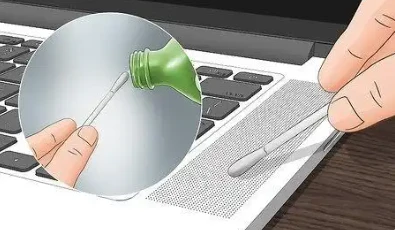
1. Use a cotton swab and alcohol to clean dirt from laptop speakers. Turn off your laptop and disconnect it from the power source (including the battery). Wet the cotton swab with alcohol and gently wipe the speakers to make them clean.
Some laptops may require you to unscrew the case to expose the speakers.
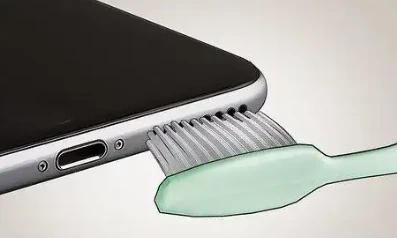
2. Use a soft-bristled toothbrush to clean lint and dust from your phone's speakers. Gently brush your smartphone's speakers with a clean, dry toothbrush. Use the brush to gently brush over the speakers to avoid pushing debris deeper.
Do not use water or liquid cleaning products to clean your smartphone's speakers, as this may damage the speakers.
Do not use compressed air, as the pressure may be too great and damage your smartphone.
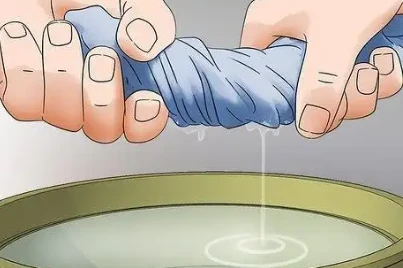
3. Use a dry, lint-free cloth or a barely damp cloth to wipe your smart speaker to keep it clean. Wet the cloth and squeeze out any excess water, and if there is still dirt on the speaker, wipe it again.
Do not use household cleaners, compressed air, or any type of spray cleaner to clean your smart speaker.
Method 2: Home Stereo
1. Turn off the speaker and disconnect it from any power source. Unplug all power cords from the electrical outlet.
If your speaker comes with a red and black cable that connects to the back of the sound system, press the lever at the connection and then pull out the wires.
2. If possible, remove the grille from the front of the speaker. Use a thin, flat object to gently pry it off, then lay it on a flat surface for final cleaning.
Some grills may be attached with screws, if this is the case you will need to remove them with a screwdriver.
3. Blow off any loose dust and dirt from the speaker with an air can. Press the trigger and blow off dust and dirt from the front of the speaker, as well as dirt in any cracks.
Make sure you use canned air and that it is clearly marked for cleaning electronics.
Do not turn the can upside down or on its side, or the chemicals may spray out and get into your speaker.
4. If you don't have compressed air, you can use a soft brush to scrub off the loose dust and dirt. Be very careful when brushing the cones, as they are fragile.
Make sure if you use a makeup brush, it is clean and has not been used for makeup!
5. Wet the microfiber cloth with water. Wring it out as much as you can until no more water can be squeezed out.
If the cloth is dripping, it is too wet. Squeeze out the excess water until it is only slightly damp.
6. Wipe the entire speaker and cone with the damp microfiber cloth. Wipe the outside of the speaker box as well.
The speaker cone is very fragile, so be careful to apply enough pressure to wipe off any dust and dirt, otherwise you may dent the speaker cone.
7. Wipe off any excess water with a dry towel. Wipe all cleaned areas with a clean, dry cloth. Use enough pressure to wipe off any water droplets.
Make sure you use a microfiber cloth. Regular cloth will leave lint on the speaker.
If you don't have a second microfiber cloth, let the speaker air dry.
8. If it is cloth, roll a lint remover over the grill to remove dust and dirt. Peel off the first layer of the lint remover to expose the new sticky part. Roll the lint remover from top to bottom or side to side until the entire surface area of the grill is covered.
Depending on how large or dirty your speaker grill is, you may need to clean the roller with more of the new sticky layer. If it doesn't look like it's picking up dust anymore, peel off the dirty adhesive.
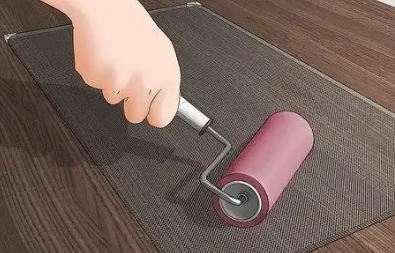
9. If the grill is metal or plastic, wipe it clean with a damp paper towel. Wipe all the dirt and dust off the grill and let it air dry.
You can buy wet paper towels for cleaning electronics at electronics stores, or special dust-removing paper towels in the cleaning supply aisle of your supermarket.


